

Your AccuLynx production picture. One page.
OpsHub brings your approved AccuLynx jobs into a crew-by-crew production board, with assignments, dates, notes and color-coded readiness checks together. See the workload, compare what comes next and identify what needs attention without opening each job to assemble the picture. Your team maintains the readiness checks in OpsHub; linked AccuLynx records keep the full job detail close. Requires a connected AccuLynx account.
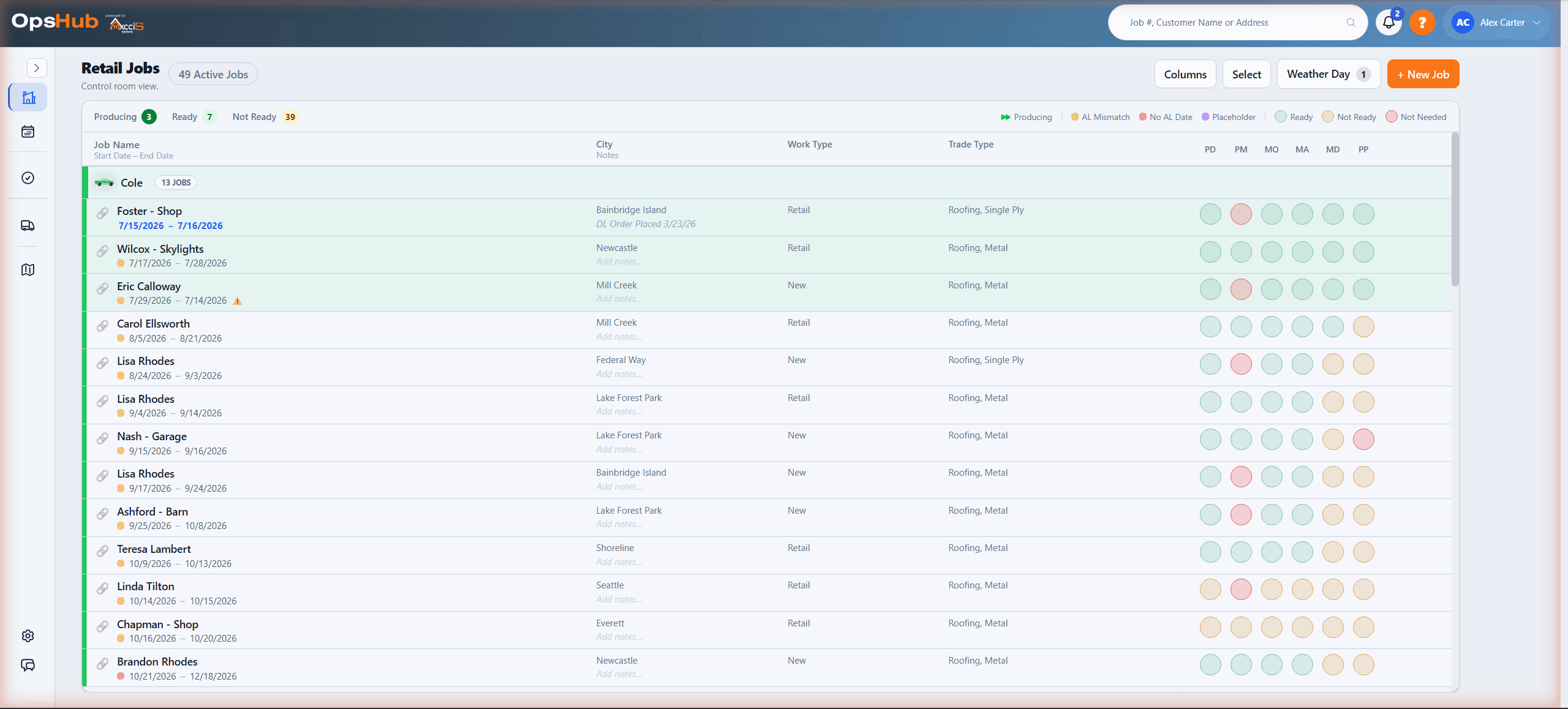
See the whole production picture before choosing the next start.
AccuLynx already has production calendars, scheduling and labor management. OpsHub brings the information needed for daily production decisions into a focused board: approved jobs grouped by crew, dates, notes and color-coded prerequisite checks. You can compare the work while the surrounding jobs remain in view.
A date alone does not explain whether a job can start. A crew name alone does not explain its workload. Read them together with the next jobs and your team's readiness checks, and the production conversation becomes concrete: which job needs attention, which work is unassigned, and what should happen next. When a date or prerequisite changes, you can reconsider the surrounding work without rebuilding the picture from separate records.
Core job data comes from AccuLynx; your team maintains the readiness checks in OpsHub. Linked source records keep the full detail close. Separate capacity reports add estimated workload context for longer-range planning.
How OpsHub works
Capture readiness signals
Material orders, deliveries, site prep, and crew availability all feed into one view.
Schedule with constraints
See what actually blocks the start date before you promise it to the customer.
Execute and learn
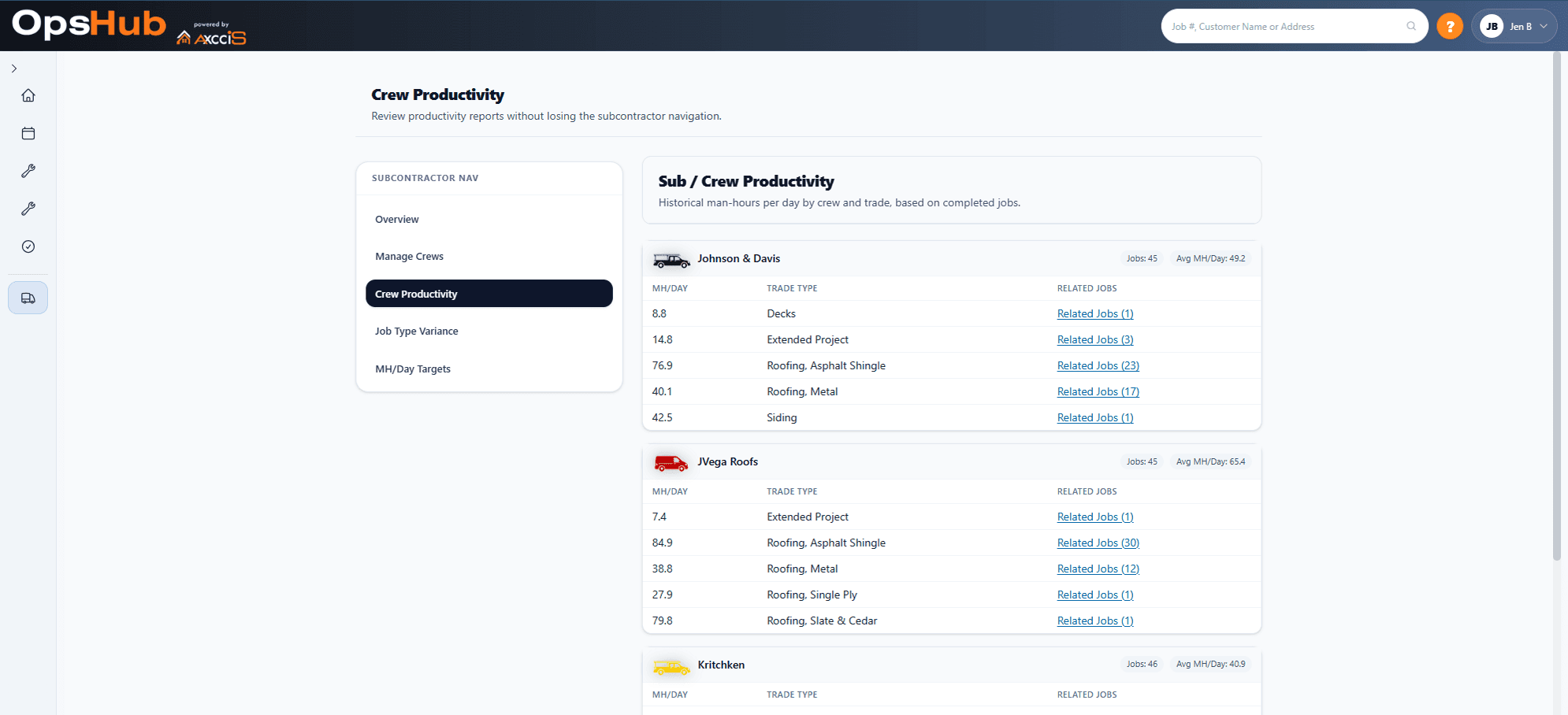
Connect what you scheduled with what actually happened to improve crew performance.
Ready vs blocked across every job at once — open a job to see exactly what's holding it.
Platform Admin Console
A private command center for platform admins to monitor trial health, adoption, and account activity across all companies — without digging.
Trials & Conversions
See who's onboarding, who's stalling, and who converts — with clear dates and status.
Engagement Health
Jobs created, crews created, scheduling activity, and last active — instantly.
System Oversight
Admin controls and an audit trail so nothing is mysterious.
The jobs view shows what's ready, what's blocked, and what moves next.
- • Materials ordered
- • Material availability confirmed
- • Delivery scheduled (and tracked)
- • Site readiness: access, permits, porta potty, staging
- • Crew assignment aligned to reality
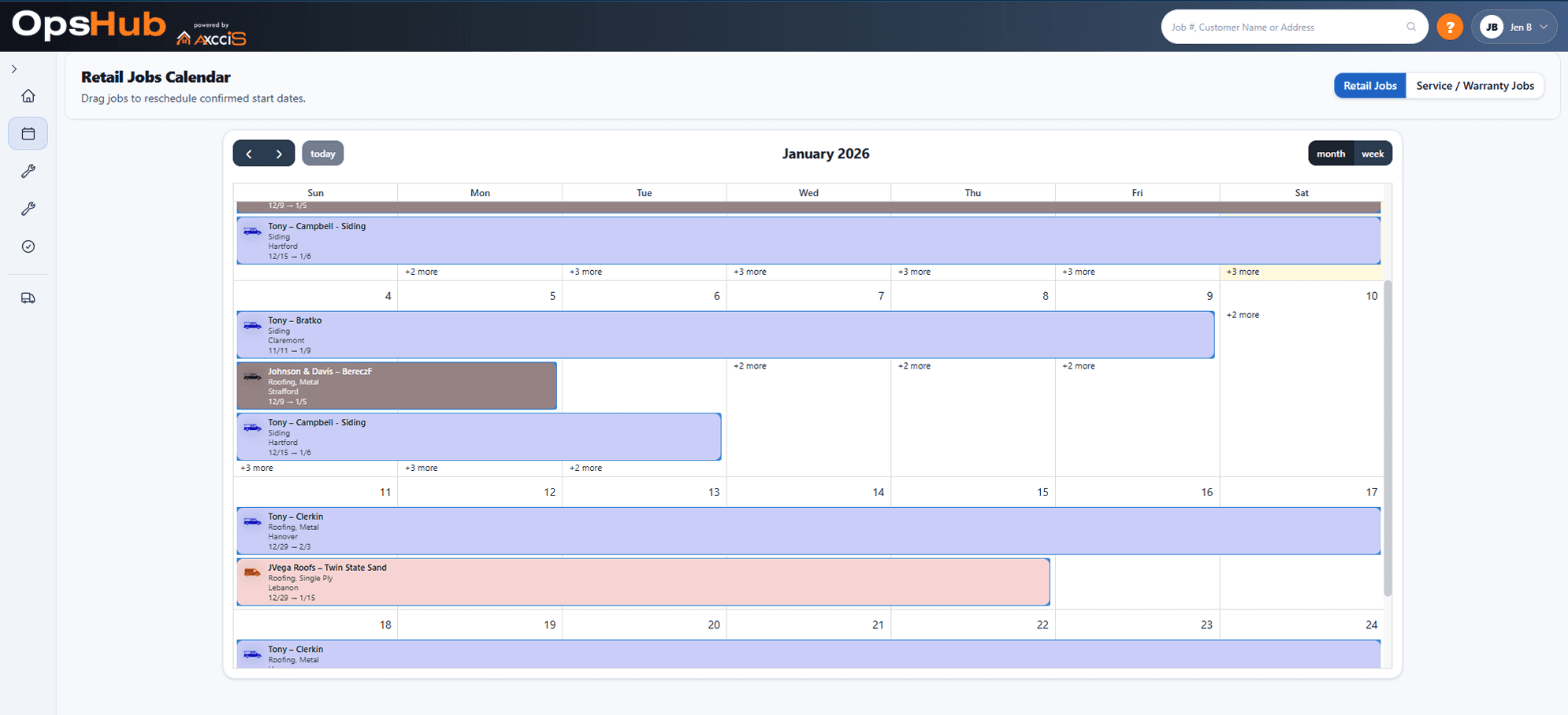
See exactly who's on what — and move things when plans change.
The calendar gives you a clear crew-by-crew view of what's scheduled and when. Spot conflicts, gaps, and overloads at a glance — then drag and reassign without losing the readiness context behind each job.
- • See all active crews across the week in one view
- • Identify overloaded days before they become problems
- • Reassign jobs to crews without leaving the calendar
- • Readiness status travels with the job when you move it
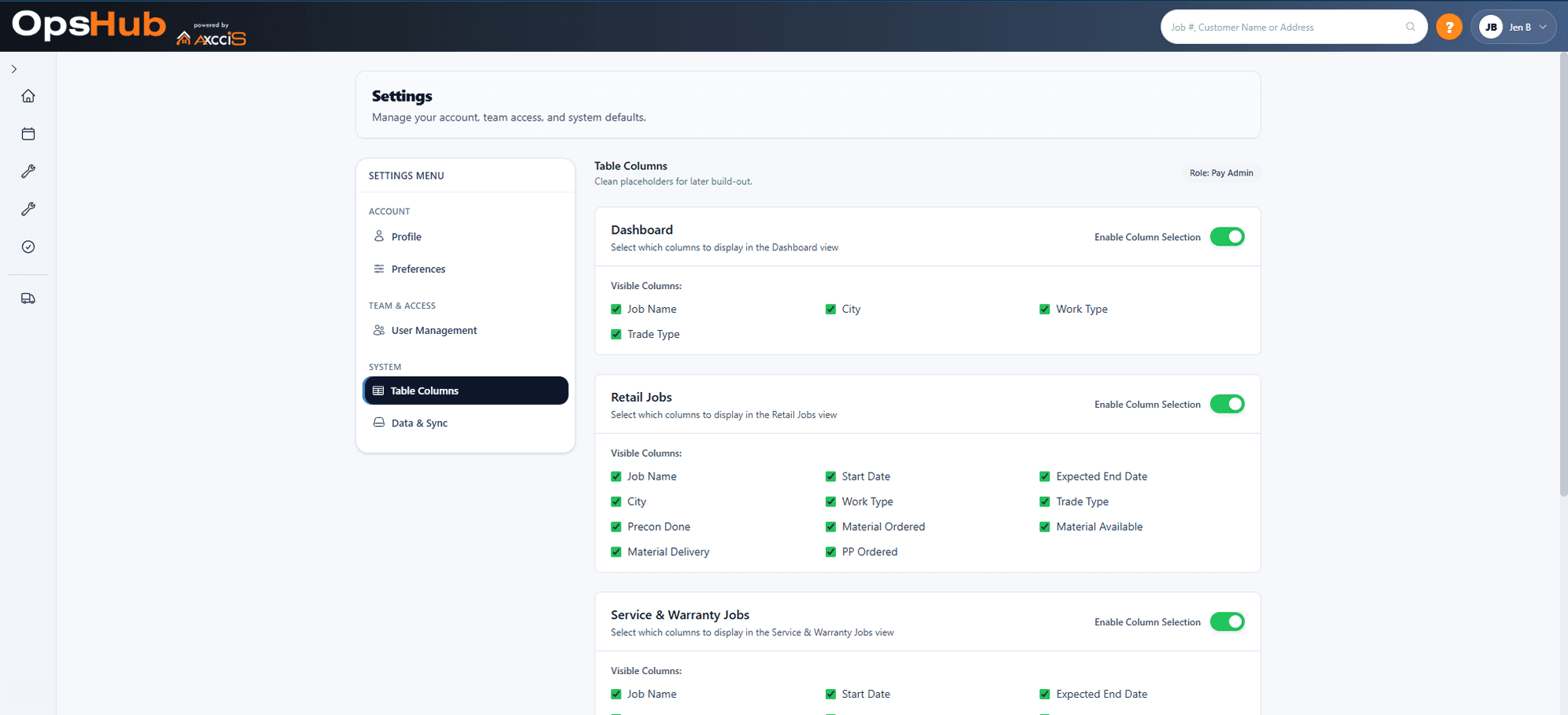
Make the view match the operator.
OpsHub stays clean because you can hide what you don’t need and focus on the signals that matter for your trade and workflow.
Why not spreadsheets?
- They can't show readiness. A date in a cell isn't a promise you can keep.
- They don't hard-date with constraints. You can't link delivery to crew availability to site prep in a way that updates automatically.
- They don't keep one truth for ops + field. When the site changes, the schedule becomes fiction.
Simple, scalable pricing
Base plan covers your parent company and includes 1 division. Each additional division is billed on top of that.
All pricing billed at the parent company level. View full pricing →
Extend OpsHub
PayHub and DayHub are included free. Turn them on for the divisions that need them.
PayHub
LiveSubcontractor accountability and pay tied directly to job reality. Included free; activate when needed.
DayHub
Coming SoonDaily work, follow-ups, and personal task planning alongside your OpsHub jobs. Included free; activate when needed.
Connect your systems
Pull job data from the tools you already use into OpsHub automatically.
AccuLynx
LiveSync jobs directly from AccuLynx into OpsHub. No CSV, no manual entry.